
Checkout & payments
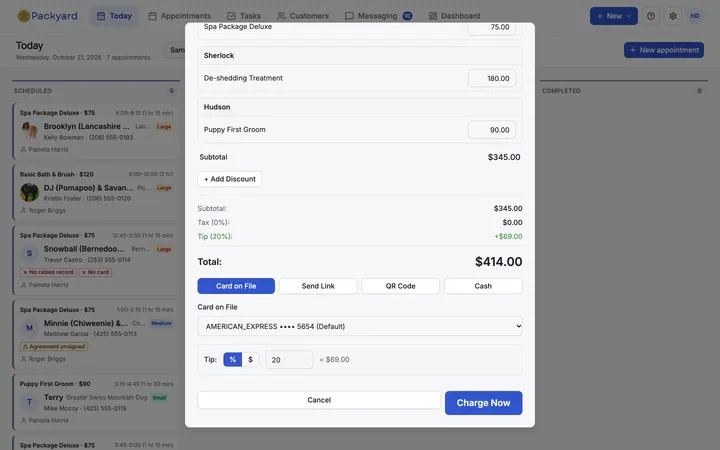
Check out the whole family in one sale.
Tips, tax and price changes at the counter. Keep your Square account and Terminal, or connect Stripe and take payment links, QR codes and Tap to Pay with no card reader.
- Included in the $49 plan
- No credit card
- 14 days free
Square or Stripe
Keep the Square account you use, or connect Stripe.
One sale per visit
Every pet in a group on one ticket.
Clean records
Every payment recorded the same way, so reports add up.
Checkout
Built for a family of dogs, not a single item
One sale covers every pet in the group, with tips, tax and any price changes made at the counter.
- One sale for every pet in a group
- Preset or custom tips
- Tax, and prices you can change at checkout
- Travel fees on their own line for vans
Square
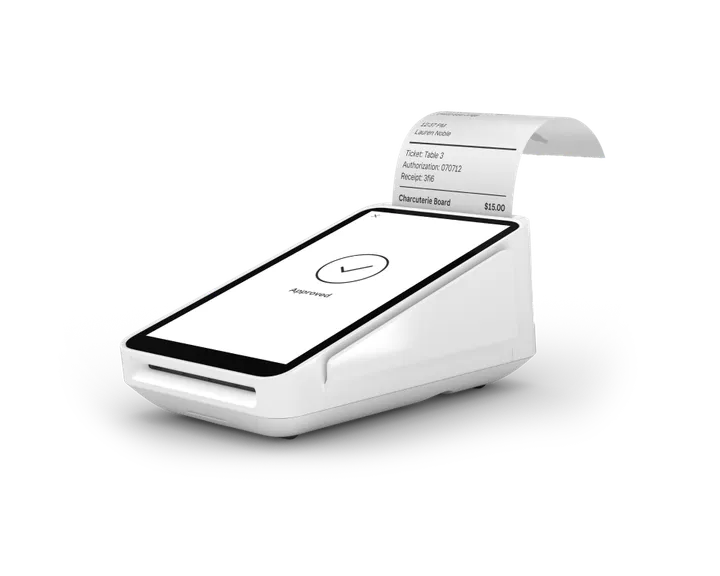
Your Terminal, your account, your payouts
Connect Square and take payments on a paired Square Terminal, charge a card on file, or record cash.
- Paired Square Terminal
- Charge a card on file
- Record cash payments
Stripe
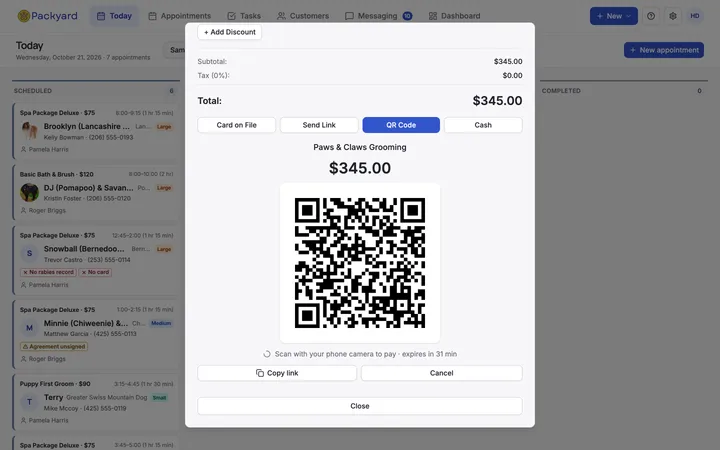
No card reader? Get paid anyway
Connect Stripe and the client pays on their own phone, by card, Apple Pay or Google Pay, and adds a tip. Good for the van and the front desk alike.
- Text or email a payment link
- Show a QR code to scan and pay
- Tap to Pay on your iPhone or Android phone
- Charge a card on file
Receipts and refunds
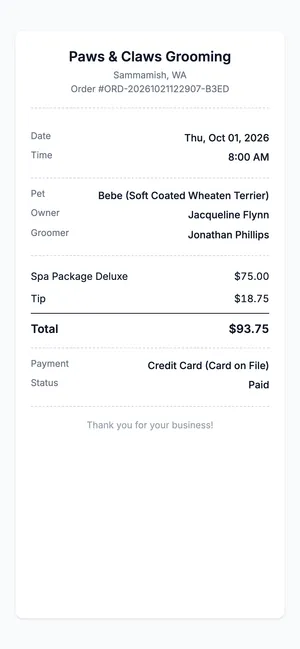
The paperwork handles itself
Every sale gets a shareable online receipt. Refunds can be full or partial, tip included, with a text to the client.
- Online receipt for each sale
- Full or partial refunds, tip included
- Refund text to the client
Getting started
Up and running in three steps
- 1
Connect Square or Stripe
From Integrations settings in Packyard.
- 2
Pick how they pay
Terminal, saved card, link, QR, Tap to Pay or cash.
- 3
Check out
One sale per visit, receipt sent.
Before you ask
Do I have to change payment processors?
No. Connect the Square account you already have.
Can I use Stripe instead of Square?
Yes. Packyard takes payments through one of the two at a time, and you can switch in Integrations settings. Past payments stay refundable through the one that took them.
Can I take cash?
Yes. Record cash at checkout and it shows in your reports with everything else.
Can I change a price at checkout?
Yes. Adjust service prices at the counter before you take payment.
Checkout & payments is included in every plan. $49 per groomer a month, with every other feature.
See everything includedWorks with
Related features
Try it on your own calendar.
14 days free, no credit card. We import your clients and pets.