
Product
One dog, one day, one system.
Follow Biscuit the cockapoo from “can I book Thursday?” to a paid, rebooked, happy client. Every screen below is the one your team actually uses at that moment.
1 Book · Tue 9:47 PM
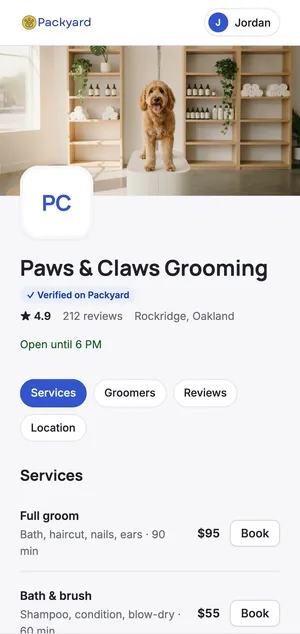
Maya books Biscuit from the sofa.
No phone call, no DM. Your booking page knows your services, groomers, hours and how long a cockapoo full groom really takes.
- 24/7 booking page with your services, groomers and hours.
- Multi-pet, one visit. The whole household books as a single group.
- Card on file so no-show fees are already agreed.
2 Remind · Wed 2:00 PM
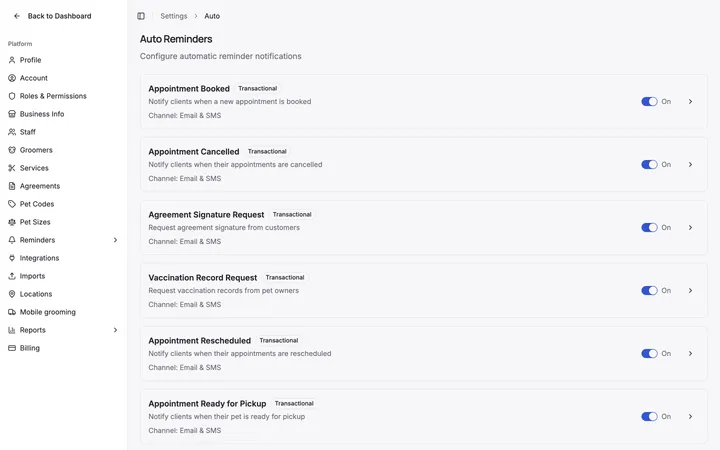
Packyard texts. Maya replies “C”. You see it on the calendar.
Reminders go the evening before and 2 hours before. Who confirmed, who didn’t, and who to call are visible without opening a single thread.
- Two-way SMS, tracked. Replies change the appointment state.
- One shared inbox tied to appointments, not staff phones.
- Your own words. Edit every reminder or add your own.
3 Check in · Thu 1:55 PM
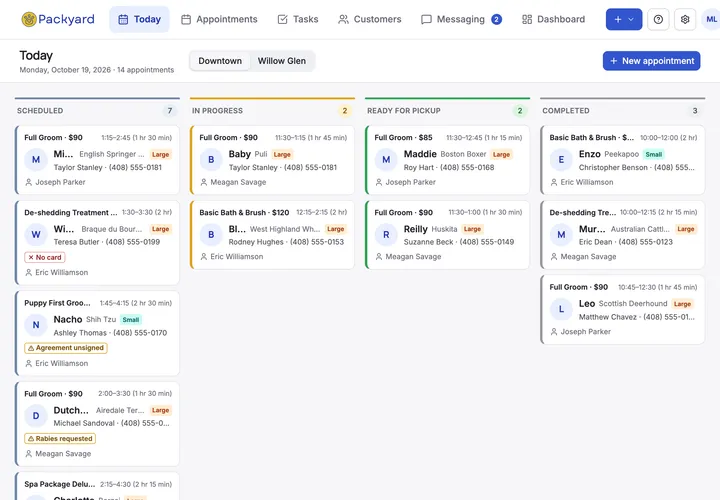
Biscuit arrives. The front desk already knows about his ears.
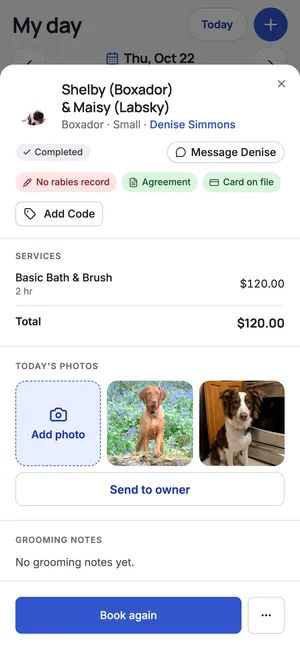
Pet codes, notes, vaccination expiry, the signed agreement and last visit’s photos are one tap away at the counter.
- Pet profiles with breed, notes, photos, pet codes and vaccine expiry.
- Agreements with e-signature before the clippers come out.
- A board for the day so everyone knows what’s next.
4 Pay · Thu 4:10 PM
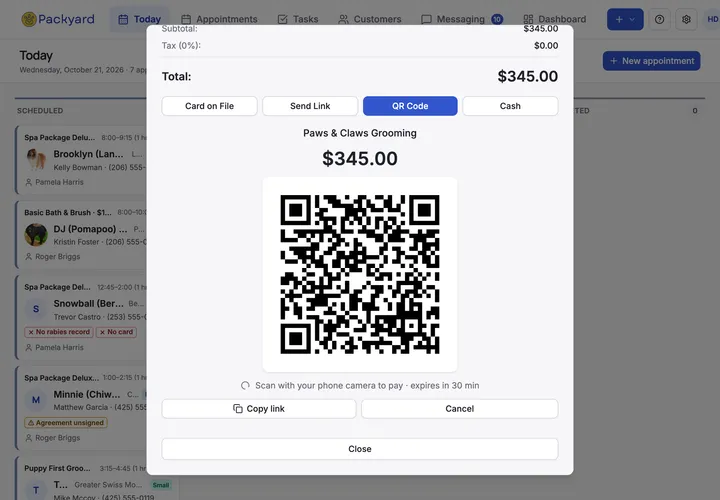
Ready for pickup. $96, 20% tip, paid before Maya parks.
A “ready” text goes out. Charge the card on file, send a payment link, show a QR code, or use the Square Terminal on the counter. Your choice.
- Square or Stripe, one at a time, swap in settings.
- Payment link, QR, Tap to Pay, no reader needed on Stripe.
- Commission and tips worked out for payroll.
5 Rebook · Thu 4:12 PM
Six weeks out, same groomer, already in the calendar.
Open slots show by groomer, so rebooking at the counter takes seconds. Biscuit’s after photo lands in his profile so the next cut matches this one.
- Rebook at the counter with open slots by groomer.
- Before-and-after photos so results stay consistent when staff changes.
- Reports on earnings, client trends and no-shows.
Everything in the box
What Packyard handles for you
One platform that covers the full workflow of a grooming business. No add-ons.
See Packyard in your own workflow
Set up services, invite staff, and run a real day of grooming inside Packyard in under an afternoon.
- 1 Connect your business Add your locations, staff and basic settings so Packyard matches your real-world setup.
- 2 Import customers and pets Bring over your existing clients and pets so you’re not starting from zero.
- 3 Turn on scheduling and payments Start booking on the calendar, enable reminders and connect Square or Stripe to run a full day.