
"On My Way" Texts for Mobile Groomers: Arrival Windows and Running-Late Scripts
Van clients wait at home for you, so the arrival time matters more than the appointment time. How wide to make your arrival window, when to send the on-my-way text, four copy-paste templates, and what to do when nobody answers the door.

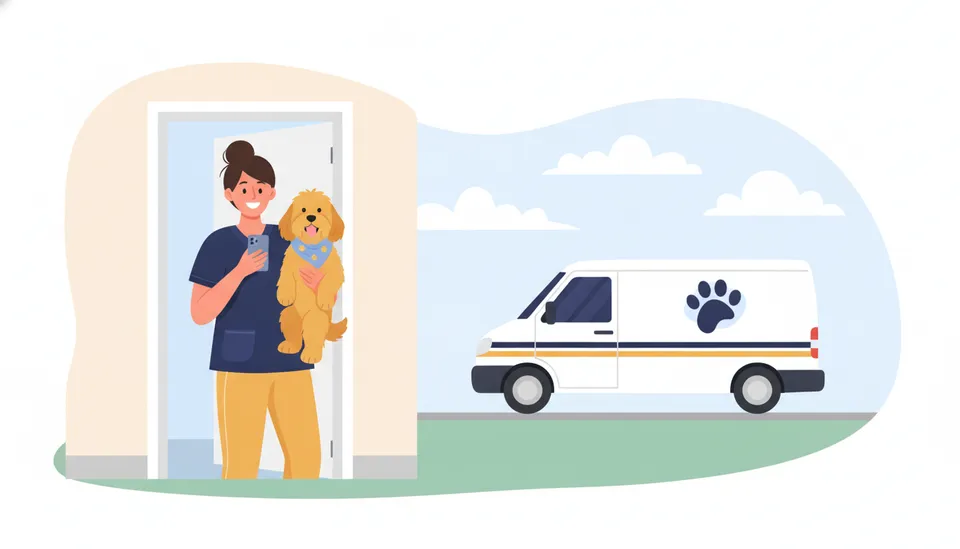
Fifteen minutes in a driveway
It’s 11:20. The van is parked outside a house with a doodle booked for 11:00 to 11:30. The groomer knocks. Nothing. She knocks again, then calls. The owner picks up on the fourth ring: she’s at the school gate, she thought the groomer was coming “around lunchtime”, she’ll be ten minutes. The groomer waits. By the time the dog is on the table it’s 11:40, and the two stops after this one are now late too.
Nobody did anything wrong, exactly. The owner had a booking. The groomer turned up inside the window. What was missing was the bit in between: a text that told the owner the van was actually coming, now.
In a salon, the owner comes to you, so the time that matters is pickup. In a van, the owner waits at home for you, so the time that matters is arrival. This post covers how to quote that arrival, when to text, and what to say when the day slips. It’s part of the complete guide to starting a mobile dog grooming business.
Why a van needs a window, not a time
A salon appointment at 10:00 means the owner walks in at 10:00. A van appointment at 10:00 means the groomer has to finish the 8:30 dog, pack up, drive across a school zone and park. Every one of those can run over, and nothing you do in the morning makes the third stop’s arrival time certain.
So quote a window. “Between 10:00 and 10:30” is a promise you can keep. “At 10:00” is a promise you’ll break about half the time, and owners remember broken ones.
How wide the window should be depends on where the stop sits in the day:
| Stop in the day | Day-before window | Why |
|---|---|---|
| First stop | 15 minutes | You control when you leave home |
| Second and third | 30 minutes | One groom’s worth of overrun is possible |
| Fourth and later | 45 to 60 minutes | Overruns stack, and lunch and water refills slide |
| After a big dog | Add 15 minutes | Doodles and double coats are the ones that run long |
Then narrow it on the day. The day-before text sets expectations; the on-my-way text, sent when you leave the previous stop, gives the real arrival to within a few minutes. That two-step approach is what stops the “I thought you meant lunchtime” conversation.
If your route is planned well, the windows can stay narrow, because the drive between stops is short and predictable. Service area and route planning covers how to build a day where the third stop isn’t a 25-minute drive from the second.
The four texts (and only four)
Clients don’t want a running commentary. One text the day before, one when you set off, one if you’re late, one at the door. That’s the ceiling. Most visits only need two of them.
1. The day before: confirm the window
Send it in the late afternoon or early evening, when people are planning tomorrow. Ask for a reply, because a reply is the only proof they’ve read it.
Hi Sarah, it’s Jess from Muddy Paws Mobile. I’ll be with Murphy tomorrow between 10:00 and 10:30. Please have him inside and the side gate unlocked. Reply Y to confirm, or call if the time doesn’t work.
If the client doesn’t reply by the morning, call before you set off for them, not when you’re outside. Automated appointment reminders covers reminder timing and what to do with clients who never confirm.
2. On my way: the real arrival
Send it the moment you finish the previous stop and pack up, before you start driving. Ten to twenty minutes’ notice is the useful range: long enough to get the dog in from the garden and put the cat away, short enough that nobody has time to pop out.
Hi Sarah, Jess is on the way to Murphy now. I should be with you between 10:12 and 10:27. See you soon!
Give a narrow window here, not “about 15 minutes”. A clock time survives the owner reading the text five minutes after it arrived.
3. Running late: say it before the window starts
The rule is simple: if you know you’ll miss the window, the client hears it from you before the window opens, not after it closes. Give a new window and an easy way out.
Hi Sarah, sorry, my 8:30 dog took longer than planned. I’m now looking at 10:45 to 11:15 for Murphy. If that doesn’t work today, reply and I’ll move him to the next Tuesday I’m in your area.
Don’t explain at length, and don’t blame the previous client by name. One line of reason, a new time, and a way to rebook is enough. Most clients are fine with late; what they mind is finding out by waiting.
If you’re more than about an hour behind, call instead of texting. At that point you’re asking them to rearrange their day, and that deserves a voice.
4. At your door: the nudge
Send it when you park, before you knock, so the owner sees it even if the doorbell isn’t working or they’re on a call upstairs.
Hi Sarah, I’m outside in the blue van. Ready when Murphy is!
This is also the start of your clock if nobody comes out. More on that below.
When to send each one
| Text | When | Reply needed? |
|---|---|---|
| Day before | Late afternoon or evening before | Yes |
| On my way | When you leave the previous stop | No |
| Running late | As soon as you know, before the window | Only if they can’t do it |
| At your door | When you park | No |
Keep the texts under 160 characters where you can. They read better on a lock screen, and anything longer gets skimmed.
Sending texts while driving (don’t)
The weak spot of the on-my-way text is that it gets sent from a phone, by the person about to drive. So it gets sent late, at a red light, or not at all.
Three ways round it:
- Send it before you start the engine. Make it part of packing up: towels in the dryer, tools on the rack, text sent, then drive.
- Keep the templates saved so it’s one tap and a time, not typing.
- Let the schedule send it. If your booking system knows which stop you just finished and how far the next one is, it can work out the arrival and send it for you.
That last one is what Packyard does for vans. When a groomer checks out a stop on My route, the next client can get the on-my-way text automatically, as long as their visit is within 90 minutes and they haven’t already been texted. The arrival window in the text is worked out from the van’s live drive time, so the client sees a real window, not a guess. You write the wording once, with the client’s name, the dog’s name and the window filled in. If the van is out of signal, the text queues and sends when you’re back in coverage. See how it works for mobile groomers.
Whatever you use, send it from the business number, not your personal phone. Clients who have your personal number will use it at 10pm.
When nobody answers the door
Even with every text sent, some days you’ll be standing in a driveway with no answer. Decide what happens next before it happens, so you aren’t making it up while the next client’s window ticks away.
A simple rule that works for most vans:
- At the door: send text 4 and knock.
- After 5 minutes: call. Leave a voicemail if there’s no answer.
- After 10 to 15 minutes: send a final text and leave.
Hi Sarah, I waited 15 minutes for Murphy but couldn’t reach you, so I’ve moved on to my next stop. Reply and I’ll find you a new time. As per our booking terms, a missed-visit fee applies.
How long you wait, and whether you charge, belongs in your booking terms, the same way a salon writes down its no-show rule. The salon version of the late rule is in the 15-minute late arrival policy; a van’s version is usually shorter, because you have a route behind you and nowhere to wait.
Log every missed visit on the client’s record. One is a bad day. Three is a pattern, and the client who makes you sit in their driveway every month should move to a card on file or a different groomer.
The salon version
If you run a salon as well as a van, the texts are a mirror image. In the salon, you’re telling the owner when to come back for the dog; in the van, when you’re going to arrive. The same principle carries over: quote a window, text when it’s real, and text early when it changes. Quoting realistic pickup times has the salon templates.
Copy-paste template set
Save these in your phone or your booking software. Swap in your own business name and adjust the windows to your route.
Day before
Hi [Client], it’s [You] from [Business]. I’ll be with [Dog] tomorrow between [start] and [end]. Please have [him/her] inside and the gate unlocked. Reply Y to confirm.
On my way
Hi [Client], [You] is on the way to [Dog] now. I should be with you between [start] and [end]. See you soon!
Running late
Hi [Client], sorry, I’m running behind today. I’m now looking at [new start] to [new end] for [Dog]. If that doesn’t work, reply and I’ll move [him/her] to my next [day] in your area.
At your door
Hi [Client], I’m outside in the [colour] van. Ready when [Dog] is!
Leaving after no answer
Hi [Client], I waited [minutes] minutes for [Dog] but couldn’t reach you, so I’ve moved on to my next stop. Reply and I’ll find you a new time.
Four texts and a fallback, written once. Send the right one at the right moment and the driveway wait mostly disappears, because the owner already knows you’re coming.
Weekly, from Himani
The Saturday note
One idea a week for getting clients, keeping them and running the day. Short enough to read between dogs.
If you want the reminder texts, booking page and no-show rules in posts like this one to run on their own, that is what we built Packyard for. 30 days free.