
The Review Request Text: What to Send, When, and What to Expect
How to ask grooming clients for a Google review: ask at pickup, send one short text the same day with your direct review link, and follow up once at most. Three texts to copy, where to find your link, and the rules that get reviews removed.

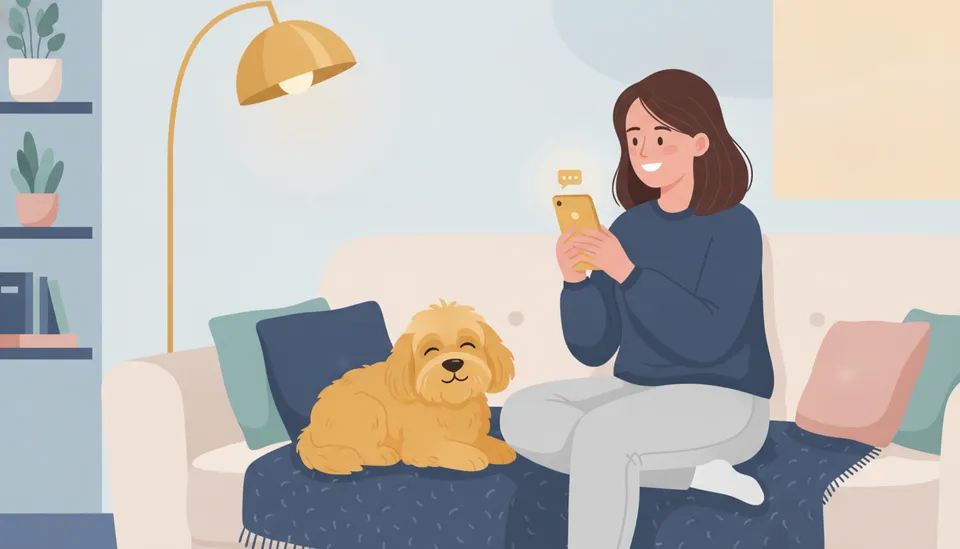
An owner picks up her doodle, sees the fresh teddy-bear face and promises, meaning it, to leave a review tonight. Then she gets home, unloads the shopping and feeds the kids, and the review never happens.
The best way to ask a grooming client for a Google review is to ask in person at pickup, while the owner is looking at the dog, and then send one short text the same day with your direct Google review link. If nothing comes, send one follow-up a few days later and stop. Ask every client the same way, and never offer anything in return: Google removes reviews that were paid for in any form, and it bans asking only the clients you expect to be happy.
If your Google listing isn’t set up yet, start with how to set up your Google Business Profile as a groomer. This post picks up where that one ends: the ask itself.
Why the text matters more than the ask
Most clients who say “I’ll leave you a review” are telling the truth. What stops them isn’t goodwill, it’s friction. They have to remember, open Google, find your listing, find the review button and write something. Each step is a chance to get distracted.
A text with a direct link removes most of those steps. The owner taps once and lands on your Google listing, ready to leave a review. That’s the whole trick, and it’s why the in-person ask and the text work as a pair. The ask at the counter makes the request personal. The text makes it easy.
It’s worth the effort. Google says local results are ranked partly on prominence, and that review count and rating are part of it. (Google: tips to improve your local ranking)
Step 1: Get your direct review link (once, two minutes)
Google gives every Business Profile a short link that goes to the review form. To find it:
- Go to your Business Profile at business.google.com.
- Select Read reviews, then Get more reviews.
- Select Copy to copy the link.
To get a QR code instead, use the same screen on a computer, right-click the QR code and choose Save image as. Google says review QR codes can only be made in a computer browser, not on a phone. (Google: create a review link or QR code)
Then:
- Send the link to yourself and open it on your phone to check it lands on your listing.
- Save it somewhere you can paste it fast, like a note or a text shortcut on your phone.
- Print the QR code and put it by the register. Google suggests printed QR codes in store, links on receipts and links in thank-you emails.
Step 2: Ask at pickup
Pickup is the moment the owner is happiest with you. The dog looks great, smells great, and is wagging at them. It’s also the moment you’re already talking about the next appointment, if you rebook at checkout.
Keep the ask to one sentence, and say the same sentence to everyone:
“If you’ve got a minute later, a Google review really helps a small shop like mine. I’ll text you the link so it’s easy.”
That’s it. No speech, no “five stars would be amazing”.
What not to do at the counter: don’t hand the owner your tablet, and don’t wait while they write it. Google’s policy says businesses shouldn’t require or pressure customers to leave ratings or reviews while they’re on the premises. (Google: prohibited and restricted content) The QR code on the counter is fine. Standing over someone while they use it isn’t.
Mobile groomers: the van door is your counter. Ask when you hand the dog back, and send the text that evening, once the route is done.
Step 3: Send the text the same day
Send it a few hours after pickup, once the owner is home and has seen the dog run around the house. Early evening works for most people. The next morning is late: by then the moment has passed.
If you already send a ready-for-pickup text, don’t tack the review link onto it. That text is about logistics. The review text is a thank-you, and it should arrive after the dog is home.
The three texts to copy
Change the words in brackets. Keep them short: a review text that needs scrolling won’t get read.
Text 1: the same-day text (after you asked in person)
Hi [Name], thanks for bringing [Dog] in today. [He/She] was a star. Here’s the review link I mentioned, it only takes a minute: [link]. Thank you! [Your name], [Business]
Text 2: when you didn’t get to ask in person
For the owner who sent a partner to collect, or the dog who went home while you were mid-groom on the next one.
Hi [Name], [Dog] was great today, hope [he/she] is enjoying the new haircut. If you have a minute, a Google review helps a small shop like mine more than you’d think: [link]. Thanks, [Your name]
Text 3: the one follow-up (three or four days later, only if no review)
Hi [Name], just a gentle nudge in case the link got buried: [link]. No worries at all if you’re busy. Thanks again for trusting us with [Dog].
Then stop. Two messages is a reminder. Four is a nag, and you want this client to book again more than you want the review.
What not to do
These are the rules that get reviews removed or put your listing at risk. They come from Google’s policy for Maps reviews and from the US Federal Trade Commission.
| Don’t | Why |
|---|---|
| Offer a discount, free add-on or prize draw for a review | Google bans incentives “in exchange for posting any review”, good or bad, and removes reviews posted because of one. (Google) The FTC’s rule on reviews, in effect since October 21, 2024, bans incentives tied to a positive review. Google’s rule is stricter, so follow Google’s. (FTC Q&A) |
| Ask only the clients you think are happy | Google bans businesses from selectively asking for positive reviews. The FTC’s guide for businesses says the same: “Don’t ask for reviews only from customers you think will leave positive ones.” (FTC guide) |
| Send “loved it? review us; not happy? call me” texts | That’s gating by another name: it steers unhappy clients away from the review form. |
| Ask for five stars or tell clients what to write | Google says businesses shouldn’t request that specific content be included in a review. |
| Ask your staff, family or friends to review you | Google doesn’t allow reviews from people with a conflict of interest, including current or former employees. |
| Blast your whole client list on one night | Google’s policy lists unusual volumes or patterns of reviews among the things it looks for. A steady trickle from clients you’ve just seen is safer, and more believable to readers. |
The hardest one in practice is gating. It’s tempting to skip the owner whose dog came in matted and went home shaved. Send that owner the same text. If you explained the shave-down at drop-off, they already know why. And Google’s own advice is to value every review, because honest, balanced reviews help future clients decide.
Texts go only to clients who gave you their number for appointment messages. If anyone asks you to stop texting them, stop, and note it in their record.
What to expect
We won’t give you a reply rate. We haven’t found a trustworthy one for grooming salons, and a made-up number would only set you up to feel you’ve failed.
What you can expect, from general practice:
- Many people won’t review, even happy regulars who said they would. That’s normal. The text is for the ones who meant to and forgot.
- Some reviews arrive days or weeks later. Don’t judge the routine on its first week.
- Short reviews count. “Great with my nervous dog, will be back” is a good review.
- A bad review will come eventually. Reply within a few days, calmly, with no client details. Google’s own advice is to reply to reviews, write each reply for that review rather than pasting the same thank-you, never share a reviewer’s private information, and not use replies to offer deals. (Google: tips to get more reviews)
Track the right number. Count new reviews each month, not replies per text. If you see every client at pickup and send every text, the monthly count is the thing that moves.
Don’t keep asking the same regulars. A client who comes every four weeks and already left a review doesn’t need the text again. A note in their client record, “review asked” or “reviewed”, keeps you from asking twice.
The routine, on one card
- Review link saved on your phone and tested.
- QR code printed by the register.
- Same one-sentence ask at every pickup.
- Text 1 or Text 2 sent the same evening.
- Text 3 three or four days later, only if no review. Then stop.
- No incentives, no gating, no asking staff or family.
- A reply to every review within a few days.
- “Review asked” noted in the client’s record.
Set it up once and it takes under a minute per client. The groomers at the top of the map aren’t usually better at grooming than the one two streets away. They just ask every client, every time, and make it easy to say yes.
Weekly, from Himani
The Saturday note
One idea a week for getting clients, keeping them and running the day. Short enough to read between dogs.
If you want the reminder texts, booking page and no-show rules in posts like this one to run on their own, that is what we built Packyard for. 30 days free.