· Packyard Team · Knowledge Base · 11 min read
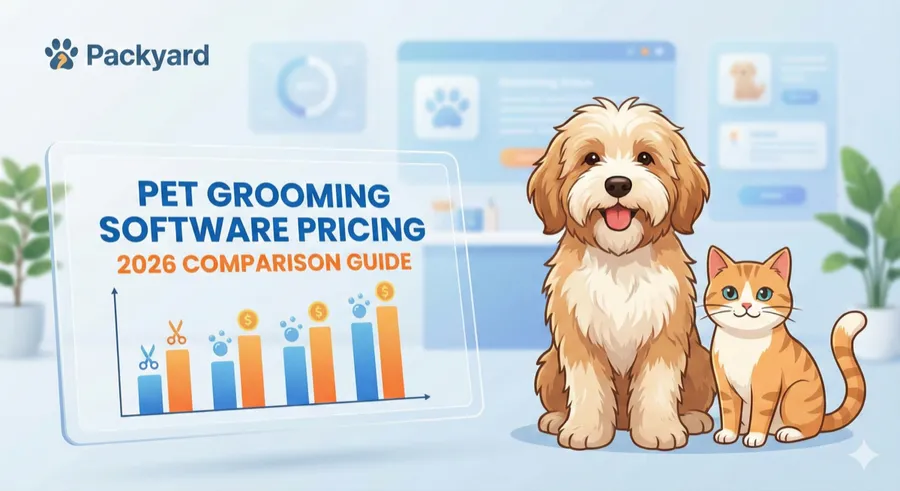
Pet Grooming Software Pricing - 2026 Comparison Guide
Grooming software costs $15-$195/month. Compare pricing, hidden fees, and what each platform includes to find the best value.
How much does pet grooming software cost
It’s 9pm on a Sunday. You’ve got three browser tabs open, each showing a different grooming software pricing page. One charges per groomer, another has three tiers with vague feature lists, and the third mentions “custom pricing” with no numbers at all. You’re trying to figure out what you’ll actually pay each month, and nothing lines up.
Most grooming software runs between $15 and $195 per month, with the wide range coming down to team size, included features, and charges for things like SMS reminders that aren’t always obvious on the pricing page. This guide breaks down what each platform actually costs, what’s included versus gated behind higher tiers, and how to calculate whether the monthly fee pays for itself in recovered no-shows and saved admin time.
A few terms worth knowing before you start comparing:
- Per-user pricing: You pay a flat rate per groomer or staff member. At $49 per groomer, a three-person shop pays $147/month total.
- Flat-rate pricing: One price covers your whole team regardless of size. This is less common but easier to budget.
- Tiered plans: Features are bundled into levels like “Basic,” “Pro,” and “Enterprise.” The specific feature you actually want might only exist in the most expensive tier.
Picking the wrong pricing structure means either overpaying for features you won’t touch or discovering mid-trial that online booking requires an upgrade.
Pet grooming software pricing comparison
The table below shows starting prices and trial lengths for common grooming platforms. “Starting price” typically means one user with limited features, so your actual monthly cost depends on team size and which capabilities you require.
| Software | Starting Price | Per-User Add-On | Free Trial | Other Costs | Key Differentiator |
|---|---|---|---|---|---|
| Packyard | $49/mo per groomer | — | 14 days | None | All features included, unlimited everything, native Square integration |
| MoeGo | ~$40–$99/mo | Varies by tier | Yes | Additional cost for text reminders | Route optimization for mobile groomers |
| Gingr | Contact sales | Varies | Demo only | Each location costs more | Enterprise-focused, multi-service facilities |
| Pawfinity | $55–$110/mo | N/A | 7 days | Additional cost for text reminders | One-time purchase option available |
| 123Pet | Subscription | Varies | Demo | Additional cost for text reminders | Long-standing, multi-tier feature gating |
| Groomsoft | $29.95–$39.90/mo | N/A | 30 days | Additional cost for text reminders | Separate pricing for mobile vs. shop |
| Cuddles | $0–$195/mo | Varies | 14 days | Additional cost for text reminders | Free tier for solo groomers |
| MDOS | $14.95/mo | N/A | N/A | Additional cost for text reminders | Desktop-based, lower-cost alternative |
Packyard
Packyard charges $49/month per groomer. Every feature lives in that single plan: automated reminders, online booking, two-way texting, and reporting. Unlimited locations, appointments, customers, pets, and texts. No tiers, no feature unlocks, no surprises on your invoice.
The 14-day free trial requires no credit card. Native Square integration means you keep your existing payment setup while syncing services, tips, and taxes automatically. For a three-groomer shop, total cost runs $147/month with everything included.
MoeGo
MoeGo uses tiered pricing across Basic, Growth, Ultimate, and Enterprise levels. Features like route optimization and multi-van scheduling appear in higher tiers. Mobile groomers often find value here, though verifying which tier includes the features you actually want takes some digging through the pricing page.
Gingr
Gingr targets larger facilities like boarding kennels, daycares, and multi-location operations. Pricing requires contacting sales, which typically signals enterprise-level costs. For independent groomers or small shops, Gingr may offer more platform than necessary.
Pawfinity
Pawfinity offers something unusual in this market: a one-time purchase option alongside monthly subscriptions. If recurring fees bother you, this might appeal. Monthly plans run $55–$110 depending on service type, with a 7-day trial to test things out.
123Pet Software
123Pet has operated in the pet software space for years, offering subscription plans with multiple tiers. Online booking and advanced reporting often live in higher-priced plans, so checking which features require upgrading saves frustration later.
Groomsoft
Groomsoft charges $29.95/month for grooming shops and $39.90/month for mobile groomers. The 30-day demo costs nothing to start. One catch: SMS reminders are billed separately, which can add meaningful cost for busy salons sending hundreds of texts monthly.
Cuddles
Cuddles offers a genuinely free tier for solo groomers with limited features. Premium runs $59/month, Elite $195/month. The 14-day trial on paid plans gives you time to test, though it’s shorter than what some competitors offer.
What grooming software features are included at each price tier
“Grooming software” can mean a basic calendar or a full operations platform depending on what you’re paying. Knowing what typically comes at each price level helps you avoid mid-trial surprises.
Entry-level plans under $50 per month
At this level, expect basic scheduling, a client database, and simple appointment reminders. You might get email confirmations but not automated SMS. Online booking, if available, may be limited or require manual approval for each request.
Entry-level plans work for solo groomers with straightforward scheduling. Once you’re managing multiple staff or want clients booking around the clock without your involvement, you’ll likely outgrow the feature set.
Mid-tier plans from $50 to $100 per month
Mid-tier typically adds online booking, automated SMS reminders, payment integration, and basic reporting. You can usually manage a small team of two to four groomers without hitting user limits.
Even at this level, watch for feature gating. Some platforms reserve detailed analytics, custom reminder sequences, or two-way texting for higher tiers. Verifying what’s actually included before committing saves headaches.
Premium and enterprise plans over $100 per month
Above $100/month, you’re generally getting full feature access: advanced reporting, multi-location support, API integrations, priority support, and sometimes a dedicated account manager.
Premium plans make sense for large facilities or franchise operations. For a typical independent salon, you’re likely paying for capabilities that won’t get used.
Hidden fees that inflate your grooming software bill
You signed up for a $39/month plan. Your first invoice shows $87. What happened?
Advertised pricing rarely tells the complete story. Before committing to any platform, asking specifically about common add-ons prevents invoice shock.
SMS and reminder charges
Many platforms charge per text message, typically $0.01 to $0.05 each. A salon sending 500 reminders monthly could add $25–$50 to the bill. Some platforms include a monthly SMS allowance while others meter every single message.
Asking whether SMS is included, capped, or fully metered clarifies this. A single line item for text messages can double your effective monthly cost.
Payment processing fees
Some platforms bundle their own payment processor with fees baked into every transaction. Others integrate with Square or Stripe at standard processing rates, typically around 2.6% + $0.10 per transaction.
If you already use Square, switching processors means new hardware, new reconciliation workflows, and potentially different rates. Platforms with native Square integration let you keep your existing setup without changes.
Per-groomer and per-location add-ons
That $49 base price might cover one user only. Each additional groomer could add $15–$50/month. A four-person shop on a “$49/month” plan might actually pay $150+ once everyone’s added.
Calculating your total cost for your actual team size matters. Then projecting what happens when you hire your next groomer reveals whether the pricing scales reasonably.
Setup and onboarding costs
Enterprise platforms sometimes charge one-time setup fees of $150–$500. Data migration from your current system might cost extra on top of that. Other platforms include onboarding free.
Asking about migration costs explicitly matters if you’re switching from another platform with existing client records you want to preserve.
Feature unlock charges
“Online booking included” might mean basic booking only, while the version with automated confirmations and waitlist management requires upgrading. “Reminders included” might mean email only, with SMS as a paid add-on.
Listing your non-negotiable features, then verifying each one is included in the specific plan you’re considering, prevents discovering gaps after you’ve already committed.
Dog grooming software compatible with Square
If you’re already using Square for payments, switching processors creates real friction: new card readers, new reconciliation workflows, retraining staff, and potentially different processing rates. Not all grooming software handles Square the same way.
- Native Square integration: Your grooming software connects directly to Square. Services, retail, tips, taxes, and discounts sync automatically. Checkout happens in one system, and end-of-day totals stay clean without manual reconciliation. Packyard offers this approach, letting you keep your existing Square setup while adding grooming-specific scheduling and reminders.
- Square-compatible via workaround: Some platforms export data to Square or require manual syncing between systems. This works, but creates extra steps and room for errors.
- Requires processor switch: Some platforms have proprietary payment systems built in. Using them means abandoning Square entirely, which means new hardware and learning a new checkout flow.
Before signing up for any platform, asking directly helps: “Can I keep using my Square account and hardware, or do I have to switch?”
How to calculate whether grooming software pays for itself
It’s the end of the month. You’re reviewing your calendar and counting three no-shows from this week alone. Each one was a $75 appointment slot you couldn’t fill on short notice. That’s $225 gone in a single week, and it’s been a typical week. With average no-show rates of 10-15%, this pattern hits most service businesses.
Here’s how to figure out whether software actually returns more than it costs.
1. Add up your monthly no-show losses
Count your no-shows from the past month. Multiply by your average service ticket.
Example: 8 no-shows × $75 average = $600/month in empty slots. Over a year, that’s $7,200 in lost revenue from unfilled appointments.
2. Estimate time saved on manual scheduling
Track how many minutes you spend weekly on phone bookings, reminder texts, and calendar reshuffling. Entrepreneurs dedicate up to 16 hours weekly to repetitive processes like these. Multiply by your effective hourly rate.
Example: 5 hours/week × $30/hour = $150/week in admin labor. That’s $7,800/year spent on tasks that software can automate.
3. Compare your losses to the monthly software cost
If no-show losses plus scheduling labor exceeds software cost, the tool pays for itself.
Example: $600 monthly no-show loss + $600 monthly admin time = $1,200 in recoverable value. A $49–$147/month software subscription is covered many times over by what you’re currently losing.
4. Factor in rebooking and retention gains
Automated rebooking prompts and complete client history increase repeat visits. Even modest improvements in client retention compound over 12 months, especially in an industry projected to reach $15.4 billion by 2026.
Running the math for your own numbers usually reveals that preventing a single no-show per month covers the software cost entirely.
How to compare grooming software pricing
Use this checklist when evaluating platforms. Keeping it open while you’re comparing prevents overlooking important details.
Included features vs feature-gated plans
- List your non-negotiable features (reminders, online booking, Square integration, two-way texting)
- Verify each feature is included in the plan you’re considering, not a higher tier
- Ask specifically about SMS: included, capped, or metered per message?
Contract length and cancellation terms
- Check for annual commitments vs month-to-month billing
- Look for early cancellation penalties in the terms
- Confirm whether you can downgrade without losing client data
Pricing scalability as you add staff
- Calculate cost for your current team size
- Project cost if you add one or two groomers next year
- Compare per-user add-on fees across platforms you’re considering
Free trials and money-back guarantees
- Prioritize platforms offering 14+ day trials (Packyard offers 14 days)
- Look for money-back guarantees that reduce commitment risk
- Test with real appointments before committing, not just a demo walkthrough
Total cost of ownership beyond the monthly fee
- Add up base price + per-user fees + SMS costs + processing fees
- Compare true monthly cost, not advertised starting price
- Ask vendors for a full cost breakdown in writing before signing up
Which grooming software fits your budget
The right choice depends on your operation size and what matters most to your daily workflow.
Solo groomers can often start with entry-level tools or free tiers. Verifying that the features you’ll want as you grow, like online booking and automated reminders, won’t require a significant price jump later saves future migration headaches.
Growing teams of two to four groomers benefit from predictable per-user pricing. Calculating your total cost at current size and projected size reveals whether the platform scales reasonably or becomes expensive quickly.
Square users benefit from prioritizing native integration. Workarounds and manual syncing create daily friction that compounds over months of use.
No-show-heavy calendars benefit from automated reminder sequences and card-on-file capability. If you’re losing $500+ monthly to empty slots, prevention features pay for themselves in the first month.
Packyard’s pricing is $49/month per groomer, with every feature included in one plan—unlimited locations, appointments, customers, pets, and texts. The 14-day free trial and money-back guarantee mean you can test with real appointments before committing. One saved no-show covers the monthly cost.
FAQs about pet grooming software pricing
Is pet grooming software tax deductible as a business expense?
Yes, grooming software subscriptions typically qualify as deductible business operating expenses. Consulting your accountant for specifics based on your business structure and location clarifies the details for your situation.
Can I switch grooming software without losing my client data?
Most platforms allow data export via CSV files, and many offer migration assistance for new customers. Asking about export options and import support before canceling your current subscription prevents data loss, since automatic transfer between platforms isn’t standard.
Do pet grooming software platforms offer discounts for annual billing?
Many platforms offer 10–20% discounts for paying annually instead of monthly. However, annual billing locks you in for a full year. Fully testing the software during a trial period before committing to annual billing reduces the risk of paying for something that doesn’t fit your workflow.
What happens to my client data if I cancel my grooming software subscription?
Policies vary significantly between platforms. Some allow data export for a limited window after cancellation, while others delete data immediately when your subscription ends. Exporting your records before your subscription lapses protects your client information.
Is there pet grooming software with no monthly fee?
Pawfinity offers a one-time purchase option, and Cuddles has a limited free plan for solo groomers. However, most full-featured platforms charge monthly subscriptions to cover ongoing development, support, and server costs.