
How to Track Client History: Tools and Best Practices for 2026
Client history tracking records every interaction, preference, and service note in one place so any team member can pick up where the last visit left off.

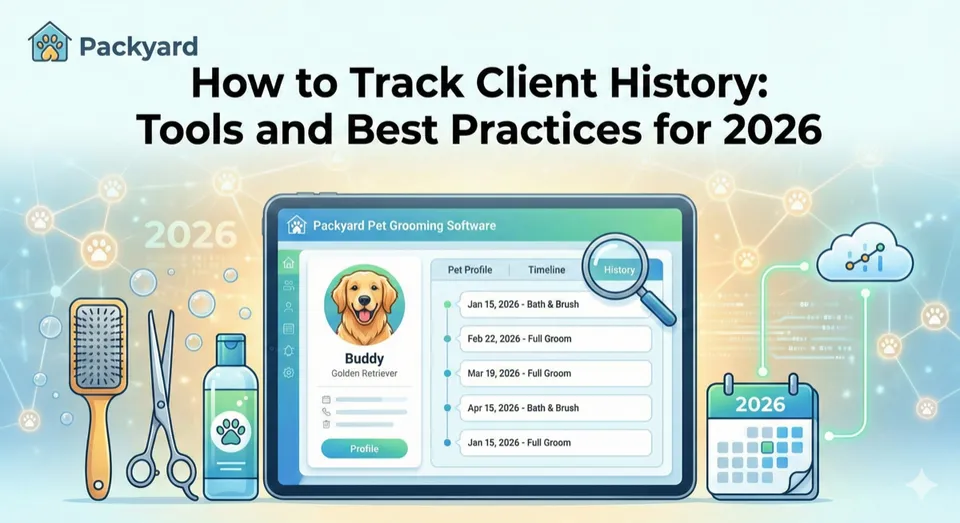
What Is Client History Tracking
It’s 2:15pm on a Saturday. A regular client walks in with her Shih Tzu, and you’re drawing a blank. Did this dog have a skin reaction last time? What blade length did she request? Was there a behavior note about nail trims? You’re flipping through mental files while the client waits, and that awkward pause costs you credibility you spent months building.
Client history tracking is the practice of recording every interaction, preference, service note, and communication with a client in one centralized place. Think of it as a shared memory for your entire team—one that doesn’t depend on who worked last Tuesday or whether someone remembered to mention something during the morning rush.
For pet businesses, tracking extends beyond the client to each individual pet. One household might have three dogs with completely different temperaments, coat types, and grooming preferences. A good tracking system handles all of that without confusion, so anyone on your team can pick up exactly where the last visit left off.
- What it includes: contact details, service history, pet profiles, behavior flags, photos, medical notes, communication logs, and payment patterns
- What it replaces: memory, scattered paper files, text threads on personal devices, and the hope that whoever groomed the dog last time happens to be working today
Why Client History Tracking Matters for Service Businesses
The difference between a forgettable transaction and a relationship that generates referrals often comes down to whether you remembered the details—71% of consumers expect personalized interactions from businesses they frequent.
Consistent Service Across Staff
When client history lives in one shared system, any team member can deliver the same quality without asking the client to repeat themselves—businesses using CRM systems see 27% higher retention by keeping all customer data centralized. The new groomer doesn’t have to guess what “the usual” means. The client feels known, even when their regular groomer is off.
Clients notice when they have to re-explain their dog’s anxiety triggers or preferred ear style every single visit. That friction erodes trust quietly, and eventually they try somewhere else.
Faster Handoffs and Fewer Mistakes
Check-in takes 30 seconds when notes are visible versus 3-4 minutes of conversation to reconstruct context. Multiply that by 8-12 appointments daily, and you’re looking at 20-30 minutes saved. That time goes back into actual grooming or an earlier end to your day.
Mistakes drop too. When behavior flags surface automatically, you don’t accidentally put an anxious dog on a busy table or miss the note about a skin condition that requires a specific shampoo.
Better Rebooking and Retention Rates
Personalized follow-ups drive rebooking, with returning customers spending 67% more than first-time customers. When you can reference the last visit—“Bella’s coat looked great at 6 weeks, want to book the same interval?”—clients feel cared for rather than sold to.
Reduced Liability from Undocumented Issues
Written records of behavior incidents, allergies, and prior complaints provide protection if disputes arise. “We documented the bite risk on March 3rd and required a muzzle” is a defensible position. “I think someone mentioned it once” is not.
What Information to Track for Every Client
Comprehensive tracking doesn’t mean logging everything. It means logging the right things consistently.
| Category | What to Record |
|---|---|
| Contact details | Phone, email, preferred contact method, best times to reach |
| Service history | Dates, services performed, products used, outcomes |
| Photos | Before/after shots, coat condition, style references |
| Behavior flags | Bite risk, anxiety triggers, handling requirements |
| Medical notes | Allergies, medications, skin conditions, vaccination status |
| Payment patterns | Tipping habits, preferred payment method, outstanding balances |
Contact Details and Preferences
Go beyond the phone number. Does this client prefer texts over calls? Do they work nights and hate morning reminders? Small preferences, documented once, prevent repeated friction.
Service History and Visit Notes
After every appointment, log what was done, what products were used, and any client requests or concerns. “Used #7 blade, client requested shorter face, noted some matting behind ears” takes 30 seconds to type and saves 5 minutes of guessing next time.
Photos and Visual Documentation
One photo per visit eliminates “what did we do last time?” conversations entirely. Attach photos directly to appointments, not in a separate folder you’ll never find. Over time, you build a visual timeline that shows coat changes, style evolution, and condition trends.
Behavior Flags and Alerts
Document handling concerns immediately—not at the end of the day when details blur. “Snaps during nail trims, requires two handlers” is information every staff member needs before the appointment, not during.
Medical Notes and Allergies
Allergies, medications, skin conditions, and vaccination status belong in a visible, flagged section. This information prevents reactions and protects your business from liability.
Payment and Tipping Patterns
Tracking payment preferences streamlines checkout. Knowing a client always tips 20% in cash or prefers to split payment across two cards saves awkward conversations and speeds up the end of each appointment.
Try it with your numbers
What are no-shows costing you?
Drag two sliders. Packyard's calculator uses your groom price and your no-show count, not an industry average.
Key Features to Look for in Client Tracking Software
Not all software handles history tracking equally. Here’s what separates tools that actually get used from ones that collect dust.
Centralized Client and Pet Profiles
Client info and pet info belong in one profile, linked but distinct. You want to see the owner’s contact details and communication history alongside each pet’s individual notes, photos, and flags—without clicking through multiple screens.
Shared Notes Accessible to All Staff
Notes trapped on one person’s device defeat the purpose. Every team member—front desk, groomers, bathers—needs access to the same history from any device in the shop.
Photo and File Attachments
Text notes only go so far. Software that allows photos attached directly to appointments or profiles lets you document coat conditions, style preferences, and before/after comparisons visually.
Behavior and Medical Flag System
Look for visual alerts—icons, color-coded flags, pop-up warnings—that surface critical information before appointments. A red flag for bite risk that appears automatically when you pull up the schedule prevents incidents.
Integration with Scheduling and Payments
History tracking works best when connected to your calendar and checkout. When your booking system, client profiles, and payment processor share data natively, you avoid manual re-entry and reduce errors. Packyard’s native Square integration, for example, keeps services, payments, and client history in sync without separate reconciliation.
Two-Way Communication History
Texts, confirmations, and replies logged alongside client profiles mean conversations don’t get lost across staff devices. When a client says “I already told you about the ear infection,” you can pull up the exact message thread.
Best Practices for Effective Client History Tracking
Having the right software matters less than using it consistently. Here are the habits that turn a tool into a system.
1. Standardize What Gets Recorded After Every Visit
Create a simple checklist every groomer completes post-appointment. Consistency matters more than exhaustive detail.
- Service performed
- Products used
- Client requests or complaints
- Behavior notes
- Photo attached
2. Make Notes Visible at Check-In
History is useless if staff don’t see it. Configure your system to surface notes automatically when appointments are pulled up—no extra clicks required.
3. Attach Photos to Every Appointment
One photo minimum. It takes 10 seconds and eliminates entire categories of miscommunication.
4. Flag Behavior Issues Immediately
Document bites, anxiety, or handling concerns while they’re fresh. Waiting until end-of-day means details get lost or softened.
5. Review History Before Confirming Appointments
Build a habit of checking client history when sending confirmations. Catch flags, note special requests, and prepare for known issues before the pet arrives.
6. Keep It Simple Enough to Actually Use
Overcomplicating tracking leads to abandonment. If logging takes more than 60 seconds per visit, your team will skip it. Simpler systems with 80% of the information beat complex systems that nobody updates.
Software for Tracking Customers
Different tools handle history tracking with varying levels of depth. The right choice depends on your business type and existing setup.
Pet-Specific Platforms
Platforms built for grooming, daycare, and boarding include pet profiles, behavior flags, vaccination tracking, and service history natively. They understand that one client might have multiple pets with different needs.
Packyard centralizes client and pet profiles with photos, notes, flags, and two-way communication in one place—designed specifically for how pet businesses actually operate.
General Appointment Software
Generic scheduling tools like Square Appointments or Vagaro handle basic client contact info and appointment history. However, they typically lack pet-specific features: no separate pet profiles, no behavior flag systems, no photo attachments tied to individual animals. You end up working around the software rather than with it.
Spreadsheets and Manual Systems
Some businesses still use spreadsheets or paper files. While technically functional, manual systems create real risks:
- No team-wide access: Information stays siloed with whoever created it
- No automatic backups: One lost file means lost history
- No integration: Data doesn’t flow to scheduling or payments
- No automatic surfacing: Critical information doesn’t appear when you need it
Manual systems work until they don’t—usually when you need the information most.
How to Choose the Right Client Tracking System
Evaluating options comes down to a few key questions:
- Does it centralize everything? Client info, pet info, notes, photos, communication—all in one place, not scattered across tools.
- Can your whole team access it? History locked on one device defeats the purpose entirely.
- Does it integrate with your existing tools? Especially scheduling and payments. Manual data transfer between systems creates errors and extra work.
- Is it built for your industry? Pet-specific features—behavior flags, vaccination tracking, multiple pets per client—matter. Generic tools force workarounds.
- Will your team actually use it? Simplicity beats feature overload. The best system is the one that gets updated consistently.
How to Get Your Team to Use Client Tracking Consistently
Great software fails if staff don’t update it. Adoption is a management problem, not a technology problem.
- Make it part of the workflow: Build note-taking into checkout, not as a separate step afterward. If it’s not part of the natural flow, it gets skipped.
- Set clear expectations: Define exactly what gets logged after every appointment. Remove ambiguity about what’s required versus optional.
- Lead by example: Owners and managers who visibly use the system signal that it matters. Staff notice when leadership skips the process they’re asked to follow.
- Reduce friction: If logging takes too long, simplify what’s required. Start with the essentials and add detail over time.
- Review together: Periodically pull up client histories in team meetings. Show how the information helped—a caught behavior flag, a remembered preference, a smoother handoff. When staff see the value, compliance follows.
Build Client History That Actually Gets Used
Tracking only works if it’s accessible, shared, and simple enough to maintain. The cost of not tracking—inconsistent service, repeated questions, lost trust, liability exposure—compounds quietly until clients drift away or incidents occur.
The goal isn’t perfect documentation. It’s building a system where anyone on your team can pick up where the last visit left off, where critical information surfaces before it’s needed, and where clients feel known rather than processed.
Start your free trial today and see how centralized client and pet history—with photos, notes, behavior flags, and communication in one place—changes how your shop operates.
FAQs About Client History Tracking
How do I migrate existing client notes into new software?
Most platforms offer CSV import for basic contact information. For detailed notes and history, start with your most active clients—the 20% who generate 80% of your appointments—and add history for others as they return for visits.
Can I track history for pets and their owners separately?
Yes, pet-specific software links multiple pets to one client while maintaining individual notes, photos, and flags for each animal. This matters when one household has three dogs with completely different temperaments and grooming preferences.
What if my staff refuses to update client notes consistently?
Make note-taking part of checkout rather than a separate task. Set minimum requirements—service performed, one photo, any behavior concerns—and review entries periodically. Consistency improves when expectations are clear and accountability exists.
How long do I keep client history records?
Keep records for as long as the client remains active, plus 3-5 years after their last visit. This provides liability protection and allows you to pick up seamlessly if they return after a gap.
Is client history tracking required for liability protection in grooming?
While not legally mandated everywhere, documented history of behavior issues, allergies, and incidents provides critical evidence if disputes arise. “We have it in writing” is a stronger position than “we mentioned it verbally.”